QuickICO
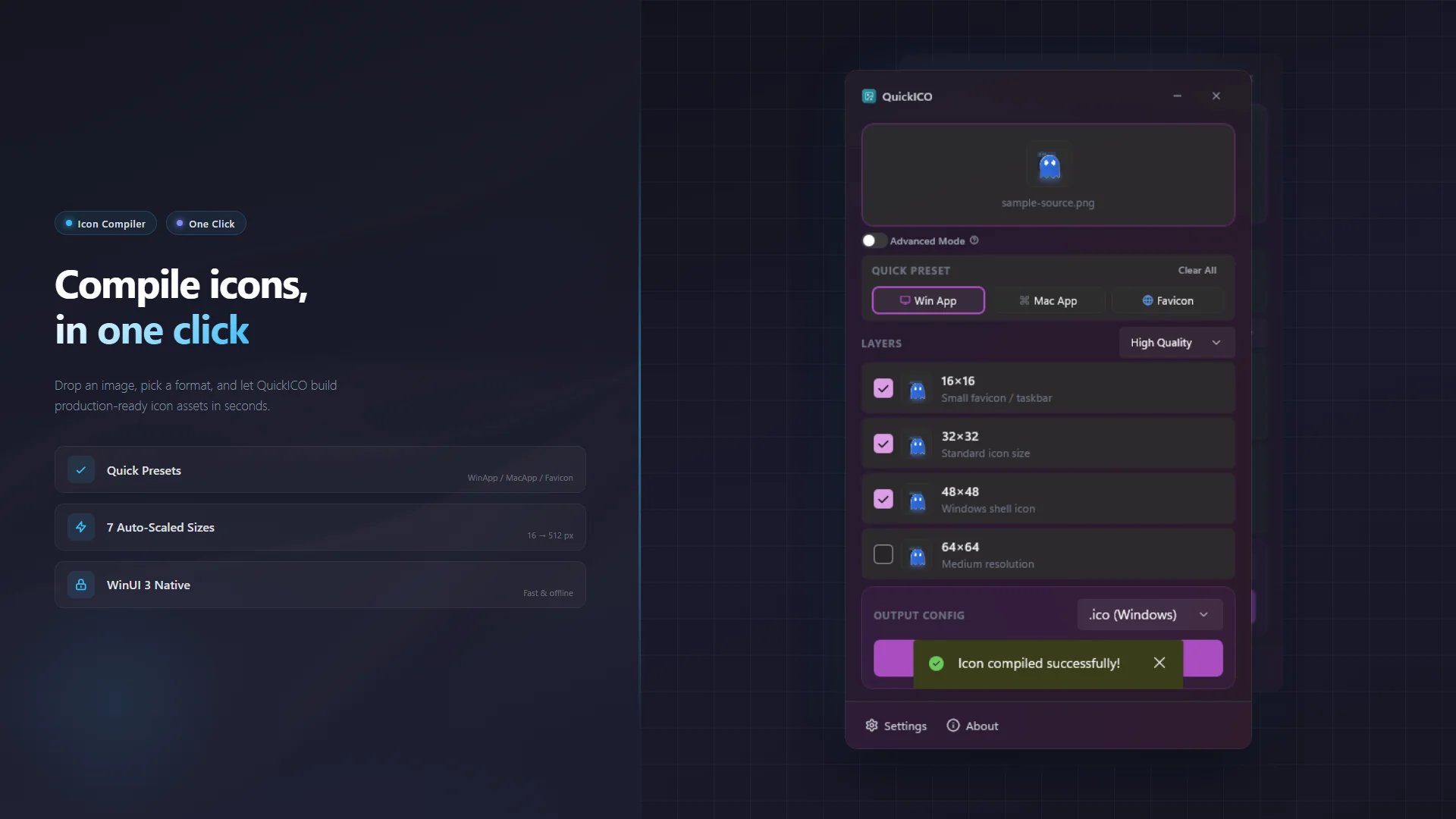
One image in. Every icon out.
Drop a PNG / JPG / BMP and get a complete multi-resolution pack — Windows ICO, macOS ICNS, and PNG/ZIP bundle in one click. A native WinUI 3 desktop compiler that works fully offline.
The Icon Compiler You've Been Missing
Compiling icons used to be a multi-tool chore — ICO here, ICNS there, favicons somewhere else, with a manual resize for every size. QuickICO collapses the whole workflow into one drop and one click.
QuickICO is a native Windows desktop app that turns a single source image into a polished .ico, .icns, or favicon pack. Three quick presets cover Windows apps, macOS apps, and favicons; Advanced Mode lets you swap individual sizes with custom images and override the output format per layer. Built with WinUI 3 for a smooth, native Windows 11 feel — Mica backdrop, system accent color, light/dark theme following your system automatically.

🌐 Prefer a browser version?
No install needed — try the online ICO Maker. Drop one image and build a multi-resolution .ico, .icns, or .zip right in your browser.
🚀 Features
- One-Click Icon Compilation Drop a PNG / JPG / BMP and get a complete multi-resolution pack. No manual resizing, no multi-tool chore.
- Every Format You Need Windows ICO, macOS ICNS, and cross-platform PNG/ZIP bundle — all from one source image.
- Three Quick Presets WinApp (16/32/48/64/128/256/512), MacApp (Apple spec sizes), and Favicon (16/32/48). One click selects the right sizes for your target.
- Advanced Mode (Pro) Swap individual sizes with custom images, override output format per layer (PNG / BMP / Auto), and choose high-quality scaling algorithms.
- Native WinUI 3 System theme + accent color, Mica backdrop, fast and offline. No account, no cloud upload.
- Light & Dark Follows the system theme automatically, seamlessly adapting to Windows 11.
🛡️ 100% Offline & Secure
QuickICO runs entirely locally with no internet access and zero telemetry. Your image files never leave your machine.
For more details, please review our Privacy Policy and Terms of Use.
📦 How to Use
- Launch QuickICO and drop in a PNG / JPG / BMP source image.
- Pick a preset — WinApp, MacApp, or Favicon — or toggle individual sizes in Advanced Mode.
- Choose the output format (ICO / ICNS / ZIP) and click Compile. Done.
- Need fine control? Unlock Advanced Mode to swap per-layer source images and override the format per layer.
🤝 Support & Feedback
QuickICO is free to use with an optional Pro upgrade (Advanced Mode, 7-day free trial). If you find it useful, a positive review on the Microsoft Store would be greatly appreciated!
🛠️ Bug Reports & Feature Requests
- 🐛 Report a Bug: Found something wrong? Let us know!
- ✨ Suggest a Feature: Have an idea to make the app better? We'd love to hear it.