QuickGUID
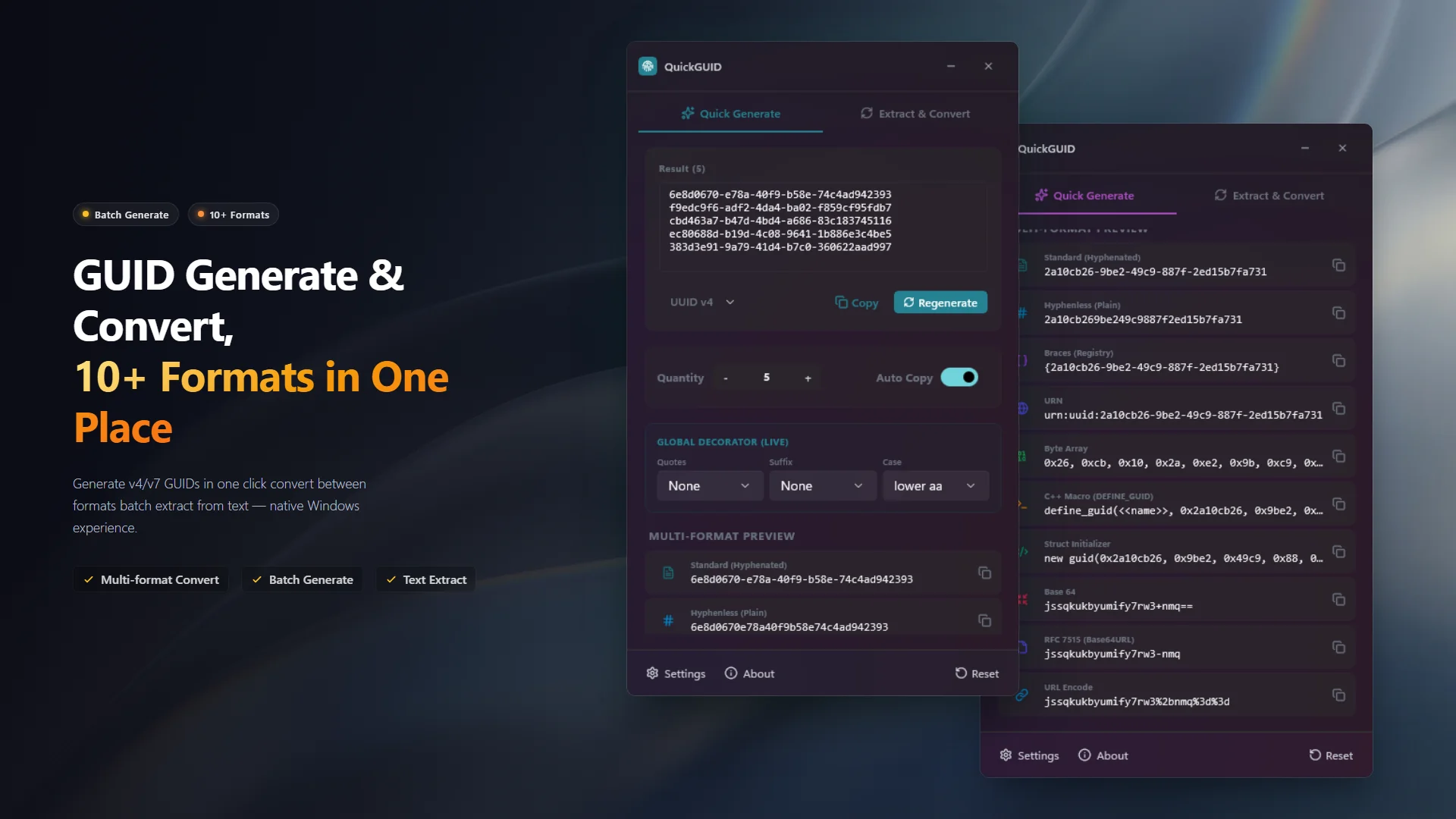
The native Windows GUID toolbox for developers
GUID/UUID generation, 10+ format conversion, and smart extraction -- all in one lightweight WinUI 3 app. 100% offline.
The GUID Tool You've Been Missing
Every developer needs GUIDs -- for database keys, COM interfaces, message IDs, test data, and more. You've probably been generating them in guidgen.exe, a browser tab, or the command line, then manually reformatting them for your code. QuickGUID puts an end to that workflow.
QuickGUID is a native Windows desktop app that combines GUID generation, format conversion, and smart text extraction into one seamless experience. Generate UUID v4 or v7, preview all formats in real time, batch-convert between 10+ formats, and extract GUIDs from any text -- logs, code, JSON -- with a single paste. Built with WinUI 3 for a smooth, native Windows 11 feel.

🌐 Prefer a browser version?
No install needed — try the UUID Generator, UUID Extractor, and UUID Analyzer. Generate, extract, and decode GUIDs right in your browser.
🚀 Features
- Batch Generation, One Click Away Generate UUID v4 (random) or v7 (time-ordered) GUIDs -- up to 1,000 at once. Copy all results with a single click and paste anywhere.
- 10+ Format Conversion Standard, hyphenless, braced, URN, Base64, Base64URL, C byte array, C++ DEFINE_GUID macro, struct initializer, URL-encoded -- every format you need, previewed in real time.
- Smart Extraction & Conversion Paste logs, code, JSON, or any text -- QuickGUID automatically identifies and extracts all GUIDs. Batch-convert to your target format in one click.
- Live Decorator Globally control output style -- quotes (none, single, double), suffix (none, comma, semicolon), case (lower/upper) -- applied in real time across all formats.
- Native Windows Experience Built with WinUI 3, perfectly adapts to Windows light and dark themes, automatically following your system settings.
🛡️ 100% Offline & Secure
QuickGUID runs entirely locally with no internet access and zero telemetry. Your GUIDs and any text you paste for extraction never leave your machine.
For more details, please review our Privacy Policy and Terms of Use.
📦 How to Use
- Launch QuickGUID -- choose the Generate tab to create new GUIDs, or the Convert tab for format conversion and text extraction.
- Select UUID v4 or v7, set the batch count (up to 1,000), and click Generate. All formats are previewed instantly.
- Paste any text containing GUIDs into the extraction area to auto-detect and extract them. Convert extracted GUIDs to any format in one click.
- Use the Live Decorator controls to add quotes, suffixes, or change case across all output formats in real time.
🤝 Support & Feedback
QuickGUID is completely free with no paywalls. If you find it useful, a positive review on the Microsoft Store would be greatly appreciated!
🛠️ Bug Reports & Feature Requests
- 🐛 Report a Bug: Found something wrong? Let us know!
- ✨ Suggest a Feature: Have an idea to make the app better? We'd love to hear it.