Announcing ICO Unpacker & QuickICO — A Full ICO Toolkit for Windows
Updated 2026-07-10 · Originally published 2026-06-26
Tags: Windows · ICO · Announcement · Products
Working with .ico files on Windows still feels stuck in another decade. Online converters silently corrupt BMP layers, outdated command-line tools haven't been touched in years, and the only way to verify an icon is intact is to ship it and pray it renders correctly in Explorer.
Today we're releasing two native Windows desktop tools that round out the full icon workflow — with a free browser version for each.
- ICO Unpacker — drop a
.icoin, see every layer, export as PNG or BMP - QuickICO — drop a single image in, get a polished
.ico,.icns, or.zipout
They're inverse operations, designed to complement each other. Both are available now on the Microsoft Store.
ICO Unpacker: Split Any .ico Into Its Layers
ICO Unpacker exists for one specific reason: too many "ICO to PNG" tools silently mangle BMP layers. On the surface, the 256×256 PNG entry looks fine — but the underlying BMP frames may already be damaged, with broken color depth or a corrupted Alpha mask. You only notice weeks later when an app shows weird artifacts on the taskbar.
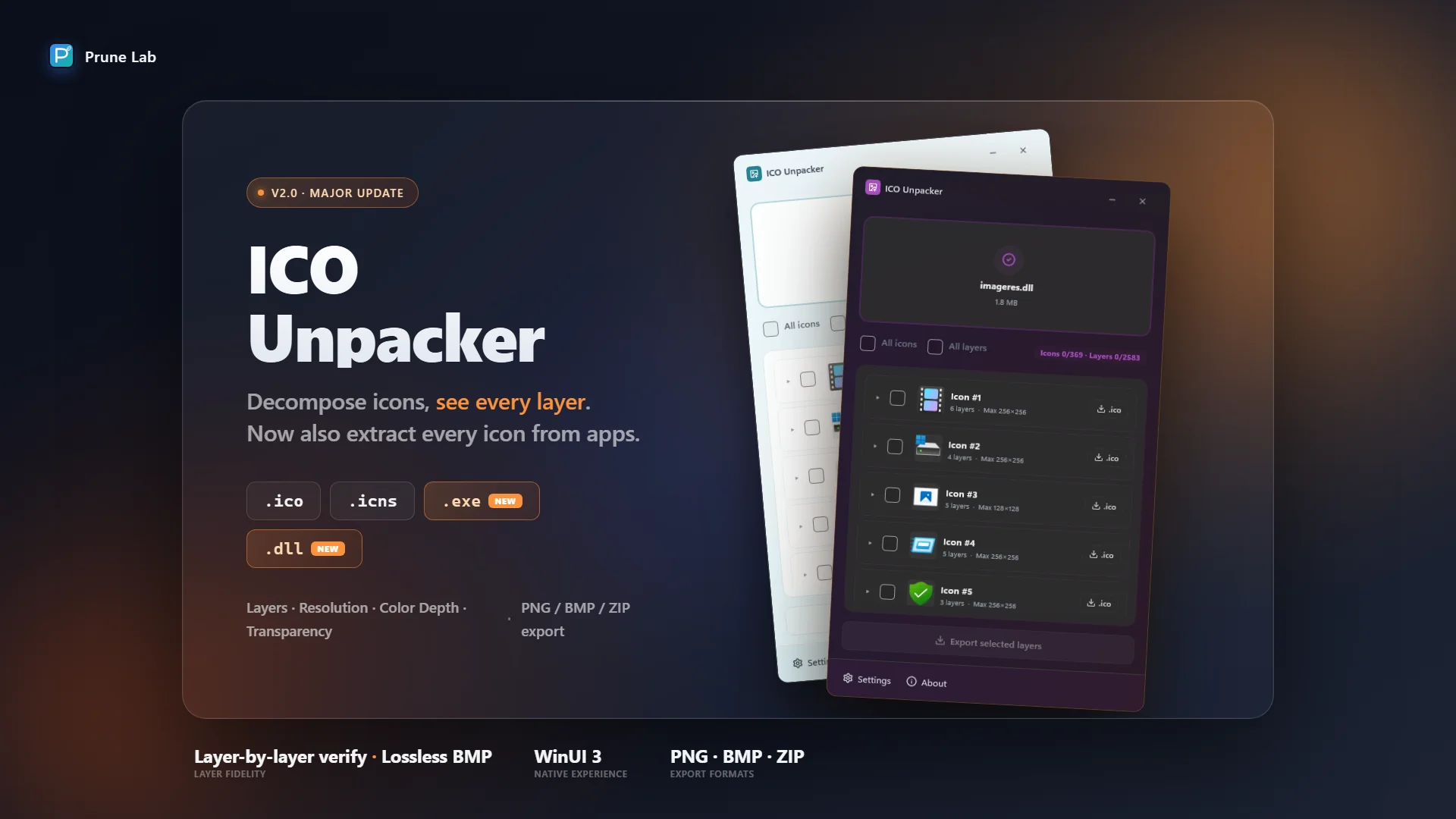
ICO Unpacker decomposes .ico files layer by layer, displaying each layer's resolution, color depth, format, and integrity at a glance. Export individual layers as PNG, or retain the original BMP bytes with no recompression.
Why It Matters
Every BMP layer in an .ico carries its own BITMAPINFOHEADER and Alpha mask. Most converters flatten everything to PNG during processing — a one-way trip that throws away the original bytes. ICO Unpacker verifies each layer's integrity before exporting, so you can publish with confidence.
Get ICO Unpacker from the Microsoft Store · Learn more
Update: ICO Unpacker 2.0
Since the original release, ICO Unpacker has jumped to 2.0, and it now does a lot more than decompose .ico files. The headline addition is PE icon extraction: drop in any .exe or .dll and ICO Unpacker lists every icon group inside, with each group's resolution layers (16–256px) — the same layer-by-layer view you already get for .ico. Export individual icons, individual layers, or bulk-export everything to a ZIP.
Bulk export itself isn't new (it's been there since 1.0), but it now covers .exe, .dll, and .icns too — select a batch from any supported file and export them all to a single ZIP in one click.
Under the hood, 2.0 also extends the "faithful binary handling" the tool was built on: every BMP color depth (1/4/8/24/32 bpp) is now extracted correctly, with a proper AND-mask transparency fallback for legacy icons whose alpha channel is all zero. Get ICO Unpacker 2.0 · Product page.
QuickICO: One Image, Every Icon
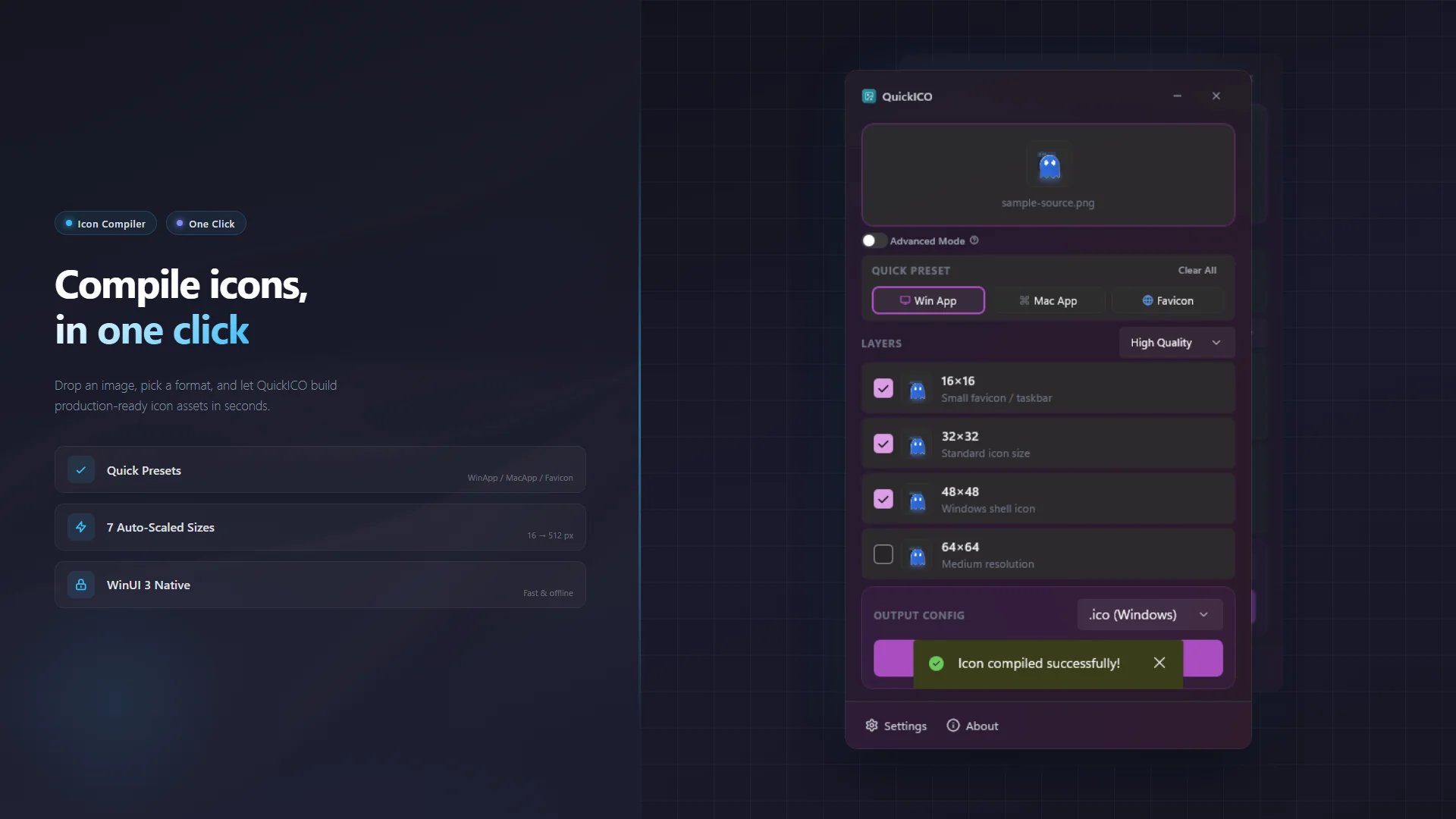
QuickICO does the inverse: feed it a single PNG / JPG / BMP and get a complete multi-resolution .ico, .icns, or favicon .zip in one click.
Three Quick Presets
- WinApp —
16, 32, 48, 64, 128, 256, 512for Windows application icons - MacApp — Apple's spec sizes for
.icnsexports - Favicon —
16, 32, 48, 64, 128, 256for website favicons
Each preset auto-selects the right sizes and the right output format. No more digging through documentation for "what sizes does macOS need again?"
Hybrid ICO Format (The Right Way)
QuickICO writes ICO files the way Windows itself does: BMP/DIB for sizes below 256×256, PNG for 256×256 and above. This hybrid layout is what Windows produces natively — and what Microsoft Photos expects. Pure-PNG .ico files often render incorrectly or fail to thumbnail.
Advanced Mode (Pro)
For when one source image isn't enough. Advanced Mode unlocks per-layer image overrides (use a different source for the 16×16 than for the 256×256), manual format control (PNG / BMP / Auto per layer), and high-quality scaling algorithms. Available as an optional Pro upgrade with a 7-day free trial.
Get QuickICO from the Microsoft Store · Learn more
Both Tools, Also in Your Browser
Sometimes you just need to convert one icon and don't want to install anything. We've got you covered:
- ICO Unpacker (web) — drop a
.ico, extract layers as PNG or BMP, all in the browser - ICO Maker (web) — drop one image, build a multi-resolution
.ico,.icns, or.zip, no install needed
The web versions are 100% free, run entirely client-side, and never upload your files. They cover the most common use cases; the desktop apps add drag-and-drop workflows, native performance, batch processing, and Advanced Mode.
Native Windows, 100% Offline
Both desktop apps are built with WinUI 3 and respect your system theme, accent color, and Mica backdrop. They do not connect to the internet, do not upload any data, and contain no telemetry or analytics. Your icon files never leave your machine.
We Need Your Feedback
Both tools are new releases, and we're actively improving them. If you find a bug, have an idea for a feature, or want to share how you're using them, let us know on GitHub.
Icons are one of those things every Windows developer touches eventually — and the tooling has been quietly underwhelming for years. With ICO Unpacker and QuickICO, the full workflow is finally native, fast, and trustworthy.